WP-DOS
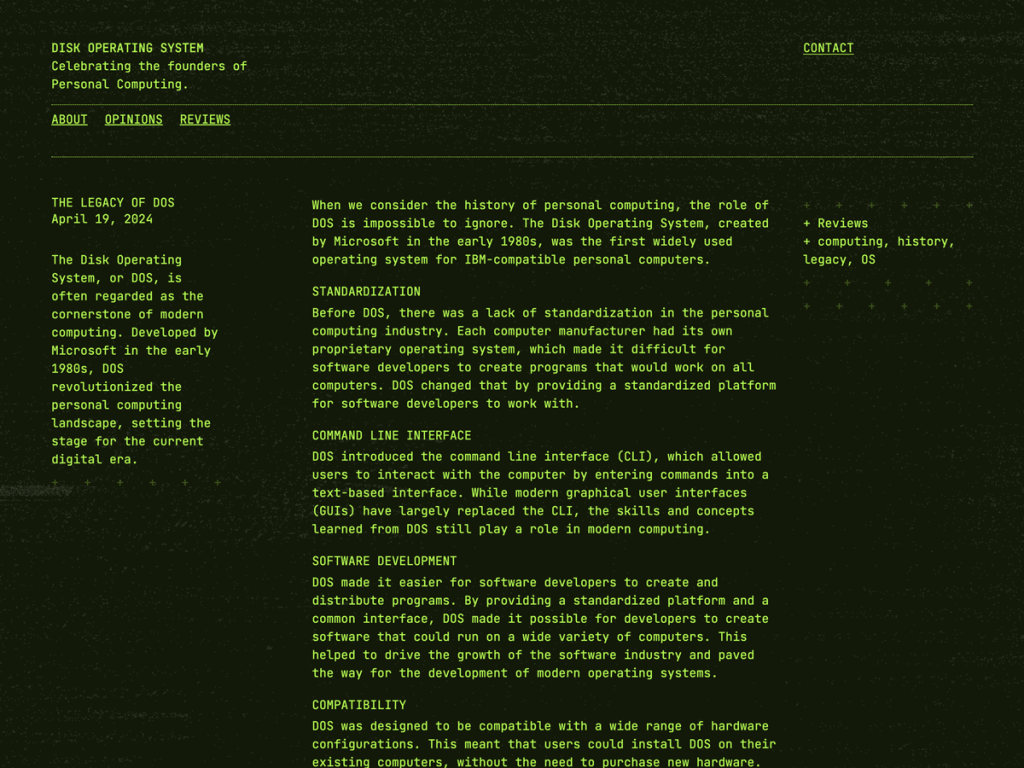
Booting up WP-DOS immediately transports me back to glowing phosphor CRTs, pairing sharp JetBrains Mono characters with luminous #b4fb51 terminal green on deep #272c21 olive. Rather than feeling like an unreadable gimmick, its generous 880px content column keeps code notes and essays surprisingly crisp.
In the Site Editor, I can flip effortlessly between the default green screen and two faithful variations—amber and gray—across 7 templates and 10 core patterns. Retro computing enthusiasts, indie game devs, and hacker blogs get immediate nostalgia here, while general audiences may find the monochrome terminal stark.
Notes
- CRT Aesthetic: Renders JetBrains Mono in glowing #b4fb51 green over #272c21 dark olive with authentic amber and gray presets.
- Readable Proportions: Maintains an 880px content measure across 10 patterns and 7 FSE templates, earning a 100-point first review.
- Caveat: Strictly geared toward nostalgic tech and computing sites—its terminal styling makes no concessions for conventional branding.
Verified Specifications
- Developer: Automattic
- Active Installations: 200+
- Reviewed Version: v1.1.3
- Directory Rating: 100% positive (1 review)
- Compatibility: WordPress 6.0+, PHP 7.2+
- Architecture: Block Theme (FSE)
- Key Capabilities: Full Site Editing, JetBrains Mono, Amber & gray variations, 10 block patterns, RTL support
Verdict: I couldn’t resist WP-DOS for a hacker diary or retro-computing blog—it nails the phosphor monitor vibe cleanly. — Official WordPress.org Directory Entry
Discussion
0 Comments