Twenty Eleven
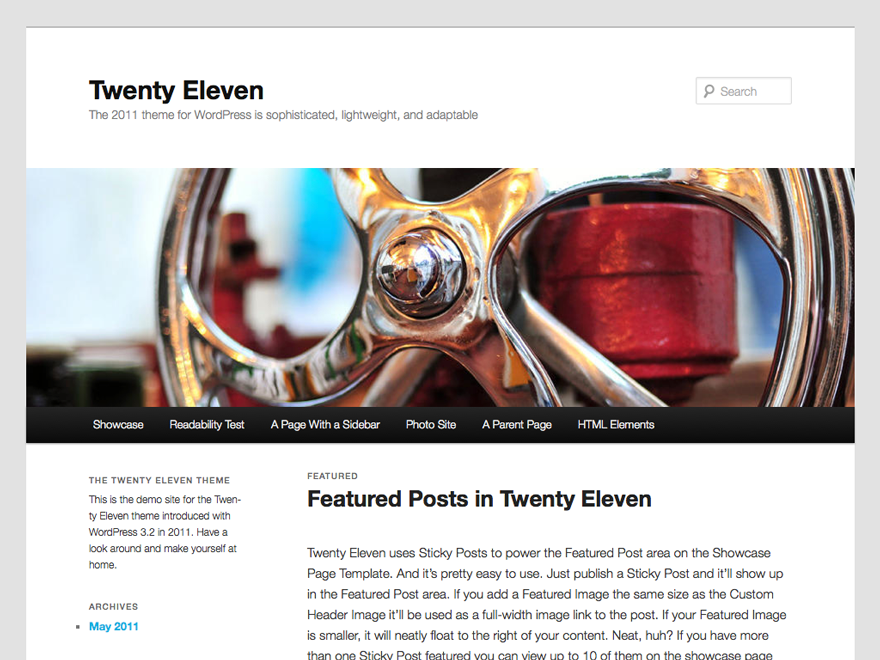
Re-examining Twenty Eleven reminded me just how generous WordPress theme options once were before block builders took over. Out of the box, it lets me toggle between crisp light and dark color schemes, choose left-sidebar, right-sidebar, or single-column layouts, and customize link colors cleanly. Details like print stylesheets and oversized featured headers on sticky posts give long-running blogs quiet polish.
Its Classic PHP template suite stands out for the Showcase page template and built-in Ephemera widget, which spotlight Aside, Link, Quote, and Status entries alongside sidebar and triple footer widget zones. Even without modern FSE blocks or theme.json tokens, core updates have kept this v5.2 release stable across 60,000 installs with a 92% rating across 50 reviews. I recommend it mostly for maintaining established sites or archival blogs anchored in post formats.
Notes
- Built-In Options: Offers light and dark color modes, custom link colors, and three selectable sidebar layouts directly in Theme Options.
- Showcase & Widgets: Includes a Showcase page template, four widget regions, a custom Ephemera widget, and dedicated print styling.
- Caveat: Rooted in 2011 Classic PHP design and fixed structural templates, lacking native Site Editor flexibility or modern block grids.
Verified Specifications
- Developer: WordPress.org
- Active Installations: 60,000+
- Reviewed Version: v5.2
- Directory Rating: 92% positive (50 reviews)
- Compatibility: WordPress 3.2+, PHP 5.2.4+
- Architecture: Classic / Universal Theme
- Key Capabilities: Light and dark schemes, Three layout choices, Showcase page template, Ephemera widget, Six post formats
Verdict: While visibly vintage today, I admire Twenty Eleven’s light-dark options and Showcase template for keeping legacy blogs humming. — Official WordPress.org Directory Entry
Discussion
0 Comments