Memoriam
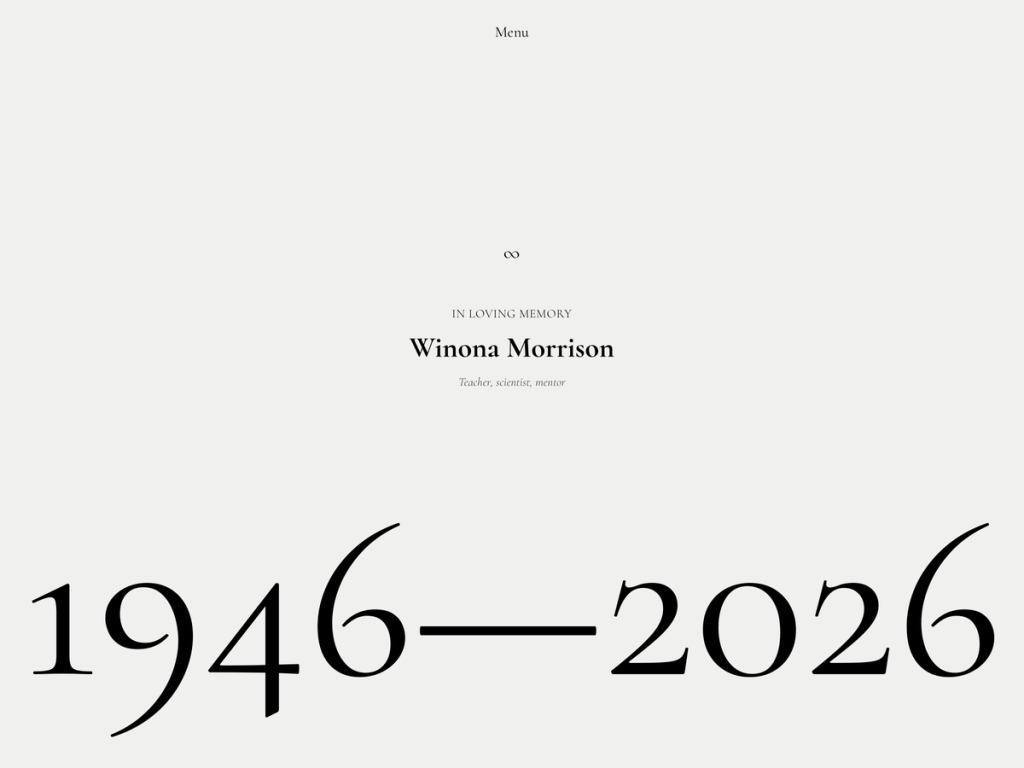
Handling a sensitive niche with real grace, Memoriam pairs soft alabaster stone (#f0f0ee and #d8d8ce) with charcoal (#4f4f4f) and peaceful moss green (#3f4c2b) accents. Refined Cormorant serif headings paired with Inter body copy strike an understated, timeless tone across a 672px reading measure and 1376px wide sections. What impressed me most is its purposeful focus—nothing flashy, just dignified typography and five calming color palettes designed to honor a life thoughtfully.
Seven complete templates and 14 specialized block patterns inside the Site Editor cover real family needs: service-details, life-timeline, guestbook-wall, donation-callout, quote, and footer-contact. No coding is needed to assemble a respectful tribute site, and RTL support comes built straight in. At just 20 active installs with zero user ratings, I wholeheartedly recommend Memoriam for community memorials, family tribute pages, or celebration-of-life hubs.
Notes
- Tribute Patterns: Purpose-built patterns for service-details, life-timeline, guestbook-wall, and donation-callout save families from building layouts from scratch.
- Gentle Tone: Cormorant and Inter typography paired with soft stone (#f0f0ee) and moss (#3f4c2b) colors maintain quiet dignity without clutter.
- Caveat: With only 20 active installs and interactive guestbooks relying on standard WordPress comments, moderation requires gentle manual care.
Verified Specifications
- Developer: Automattic
- Active Installations: 20+
- Reviewed Version: v1.0.8
- Compatibility: WordPress 7.1+, PHP 7.2+
- Architecture: Block Theme (FSE)
- Key Capabilities: Full Site Editing, Cormorant & Inter fonts, 14 tribute patterns, 5 color presets, 1376px wide blocks
Verdict: I deeply appreciate Memoriam’s thoughtful timeline, service, and guestbook patterns for building heartfelt tributes without code. — Official WordPress.org Directory Entry
Discussion
0 Comments