Lexionic
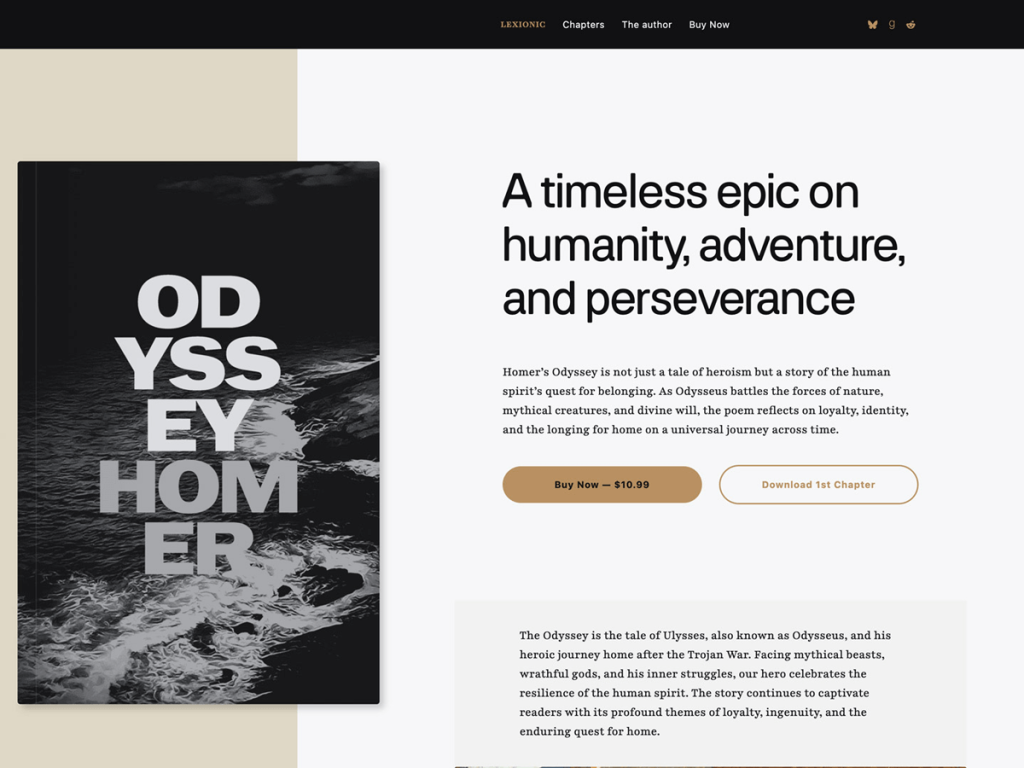
Lexionic caught me off guard with how genuinely bookish its proportions feel—keeping content to an intimate 585px measure and 720px wide width like a finely typeset paperback. Its default #f6f7f8 paper base, #b89062 gilt bronze contrast, and deep #101112 ink are backed by nine distinct fonts including Playfair, Faculty Glyphic, Frick Condensed, Neutral Sans, and Akt. In my view, that typographic richness gives debut novelists and literary presses real polish.
In the Site Editor, Lexionic ships seven templates, eight patterns including dedicated book-cover-artwork, and five wonderfully named style variations: arabian-nights, don-quijote, master-and-margarita, the-comedy, and years-of-solitude. It focuses squarely on landing pages, book showcases, and blog posts rather than sprawling multi-column catalogs, while supporting RTL languages and wide blocks. With about 700 active installs and no ratings yet, I think storytellers will love its literary craft.
Notes
- Typography & Palette: Nine bundled typefaces and five literary style variations—from Don Quijote to Arabian Nights—deliver rich book-jacket versatility.
- Author Showcase: Dedicated book-cover-artwork patterns and a tight 585px reading measure flatter longform excerpts and launch pages.
- Caveat: Its narrow 720px wide limit and lack of native e-commerce templates mean selling books directly requires external store links or plugins.
Verified Specifications
- Developer: Automattic
- Active Installations: 700+
- Reviewed Version: v1.0.1
- Compatibility: WordPress 6.7+, PHP 7.2+
- Architecture: Block Theme (FSE)
- Key Capabilities: Full Site Editing, Five literary styles, Nine bundled fonts, Book cover pattern, RTL support
Verdict: I’d enthusiastically pick Lexionic for an author launch site where typography and bookish proportions steal the show. — Official WordPress.org Directory Entry
Discussion
0 Comments