Casthub
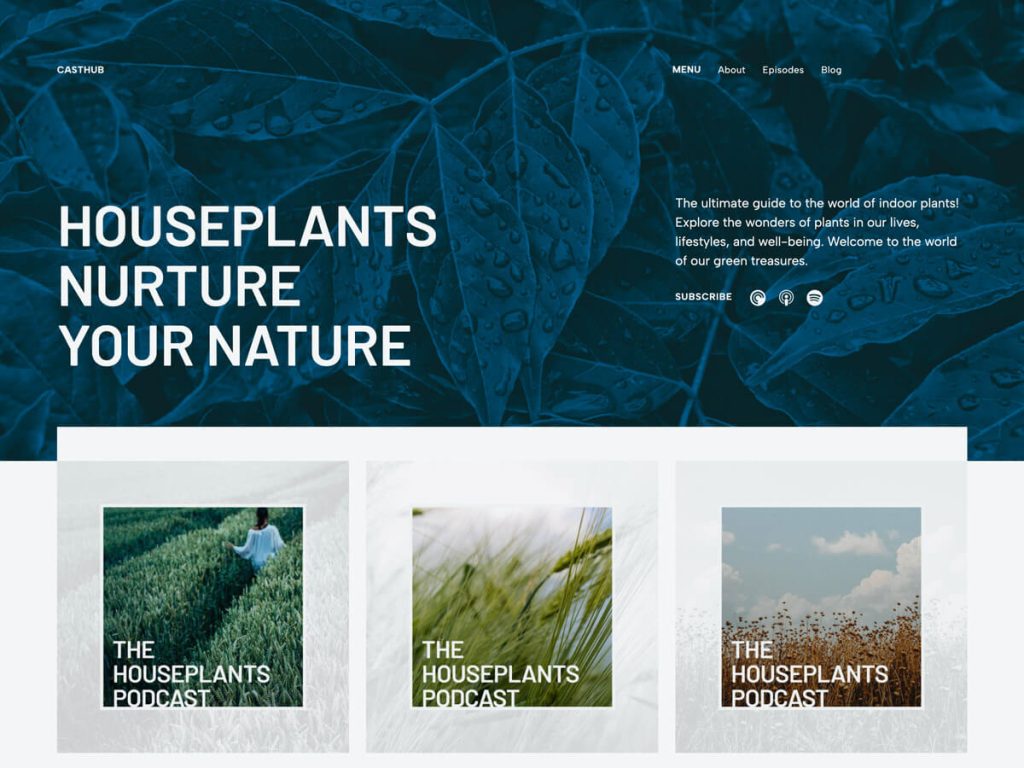
Casthub stood out to me immediately because it treats showrunners like real media publishers rather than forcing audio embeds into generic blog posts. Its clean #F3F6F6 cool-slate base, #13406c deep maritime blue, and #b89062 warm bronze accents set an authoritative broadcast tone across a roomy 900px content and 1280px wide layout. Eleven fonts—including Geist, Geist Mono, Figtree, Playfair, and Barlow—keep episode notes, timestamps, and guest bios ultra-crisp.
In the Site Editor, Casthub brings nine templates featuring a specialized podcast-episode template and page-fullwidth view, backed by 11 block patterns like also-available and sidebar-episodes. Five nature-inspired style variations—acqua, fauna, flora, foliage, and terrain—let creators shift atmosphere effortlessly while supporting right-sidebar layouts and RTL languages. At around 600 installs and zero ratings yet, I see it as a ready-to-broadcast hub for independent shows.
Notes
- Podcast Architecture: A dedicated podcast-episode template paired with also-available and sidebar-episodes patterns streamlines show publishing.
- Typography & Styles: Geist, Geist Mono, Figtree, and Playfair unite across five crisp style variations (acqua, fauna, flora, foliage, terrain).
- Caveat: While front-end episode presentation is sharp, RSS feed distribution and audio hosting still require a dedicated podcast plugin.
Verified Specifications
- Developer: Automattic
- Active Installations: 600+
- Reviewed Version: v1.0.0
- Compatibility: WordPress 6.6+, PHP 5.7+
- Architecture: Block Theme (FSE)
- Key Capabilities: Full Site Editing, Podcast episode template, Eleven block patterns, Five style variations, Eleven fonts
Verdict: I’d choose Casthub right away if I were launching an FSE podcast hub and pairing it with a dedicated audio RSS plugin. — Official WordPress.org Directory Entry
Discussion
0 Comments