Apostrophe
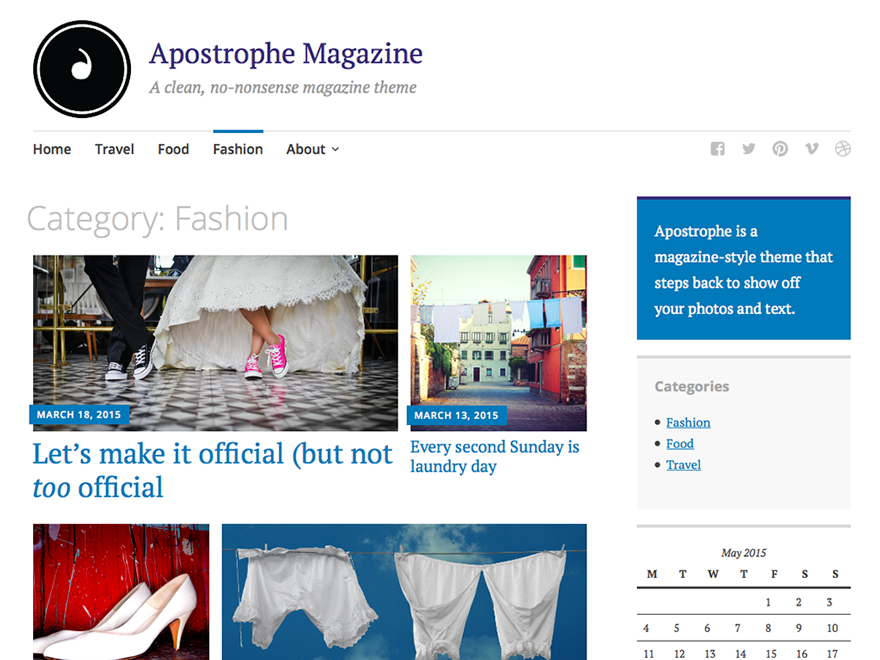
Apostrophe caught my eye for how briskly it organizes busy editorial homepages without decorative fluff. Leading with Featured Content blocks lets editors stamp clear hierarchy across photo-heavy dispatches while preserving clean, legible typography below. Its responsive grid layout scales smoothly from desktop multi-column spreads down to single-column mobile reading.
Built on classic PHP templates including content-single.php, content-page.php, and rtl.css, I tweak navigation, social links, and sidebars through traditional widget areas and the Customizer. Jetpack compatibility brings Infinite Scroll, Responsive Videos, and Site Logo support for publishing teams sticking with classic WordPress. I recommend Apostrophe for campus magazines or local journals wanting dependable structure.
Notes
- Magazine Grid: Featured Content spotlighting and a responsive grid layout keep image-led stories neatly prioritized above chronological archives.
- Classic Layout: Right-sidebar and full-width options, social menus, Post Formats, and Jetpack Infinite Scroll simplify traditional editorial upkeep.
- Caveat: With roughly 400 installs, an 80/100 rating across 4 reviews, and pre-FSE PHP templates, it offers zero block-editor pattern tools.
Verified Specifications
- Developer: Automattic
- Active Installations: 400+
- Reviewed Version: v1.0.13
- Directory Rating: 80% positive (4 reviews)
- Architecture: Classic / Universal Theme
- Key Capabilities: Featured Content grid, Full-width & sidebar layouts, Post formats, Jetpack Infinite Scroll, RTL support
Verdict: I consider Apostrophe a crisp, no-nonsense classic magazine grid if you aren’t ready to migrate to block themes. — Official WordPress.org Directory Entry
Discussion
0 Comments